Bulk payments
Make multiple payments at once. Upload one file and send all your payments together.
Step 1. Download the template
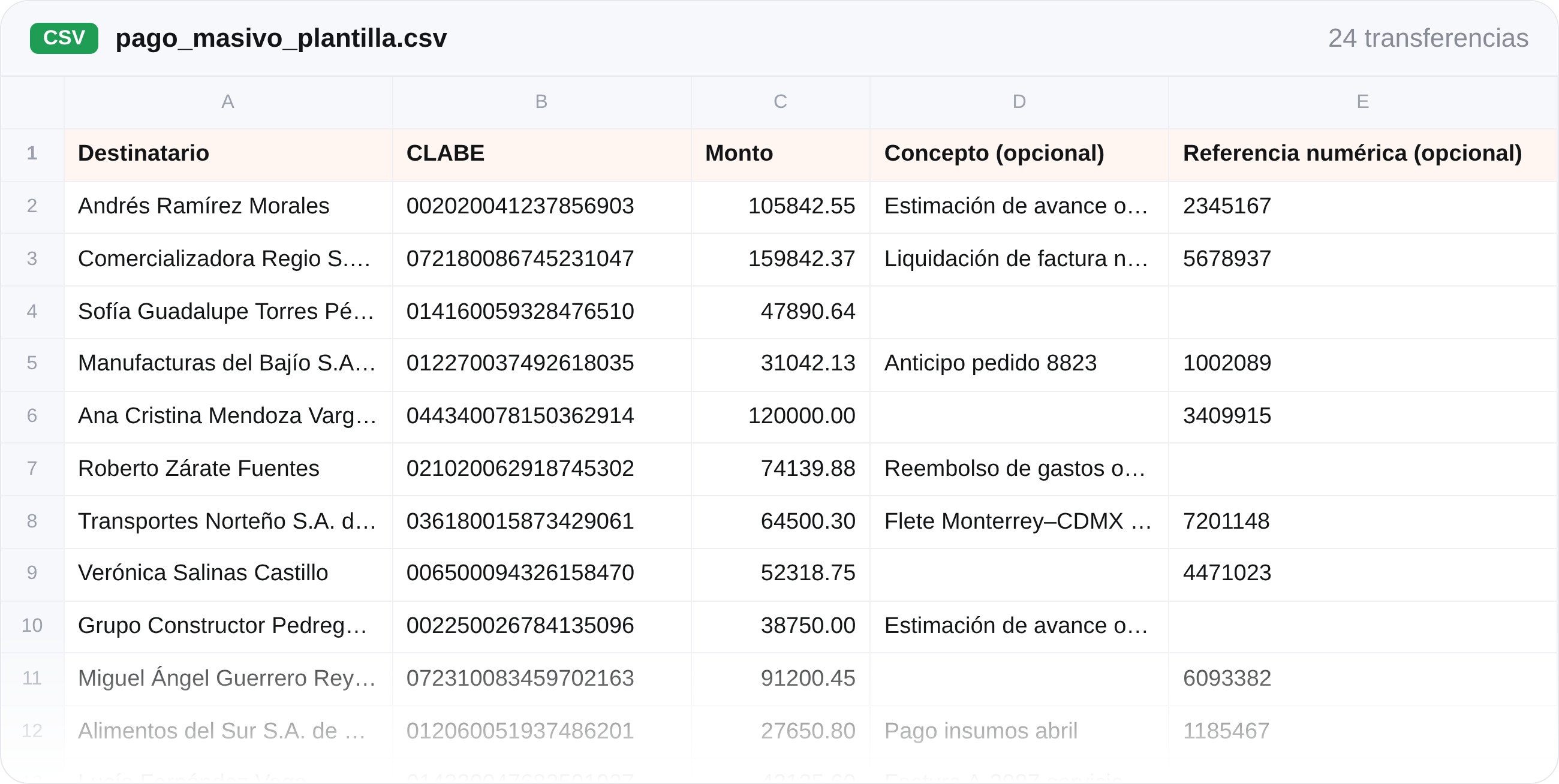
Use our template so we can read your file correctly. It includes sample rows to show you how to fill it in. Add one recipient per row with their name, CLABE and amount.
Step 2. Upload your file
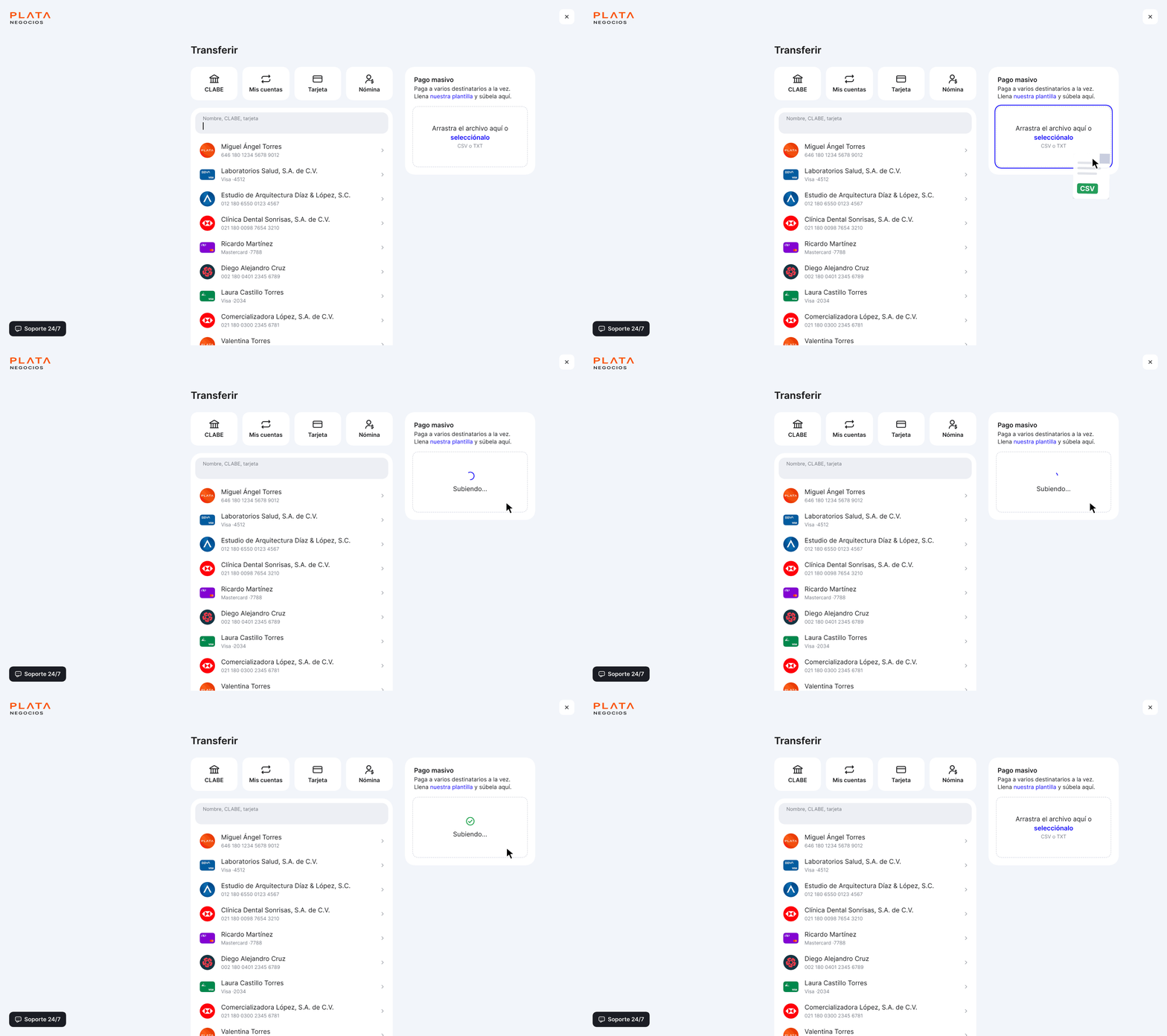
Log in to Plata Negocios from your computer to upload your file.
Step 3. Review your payments
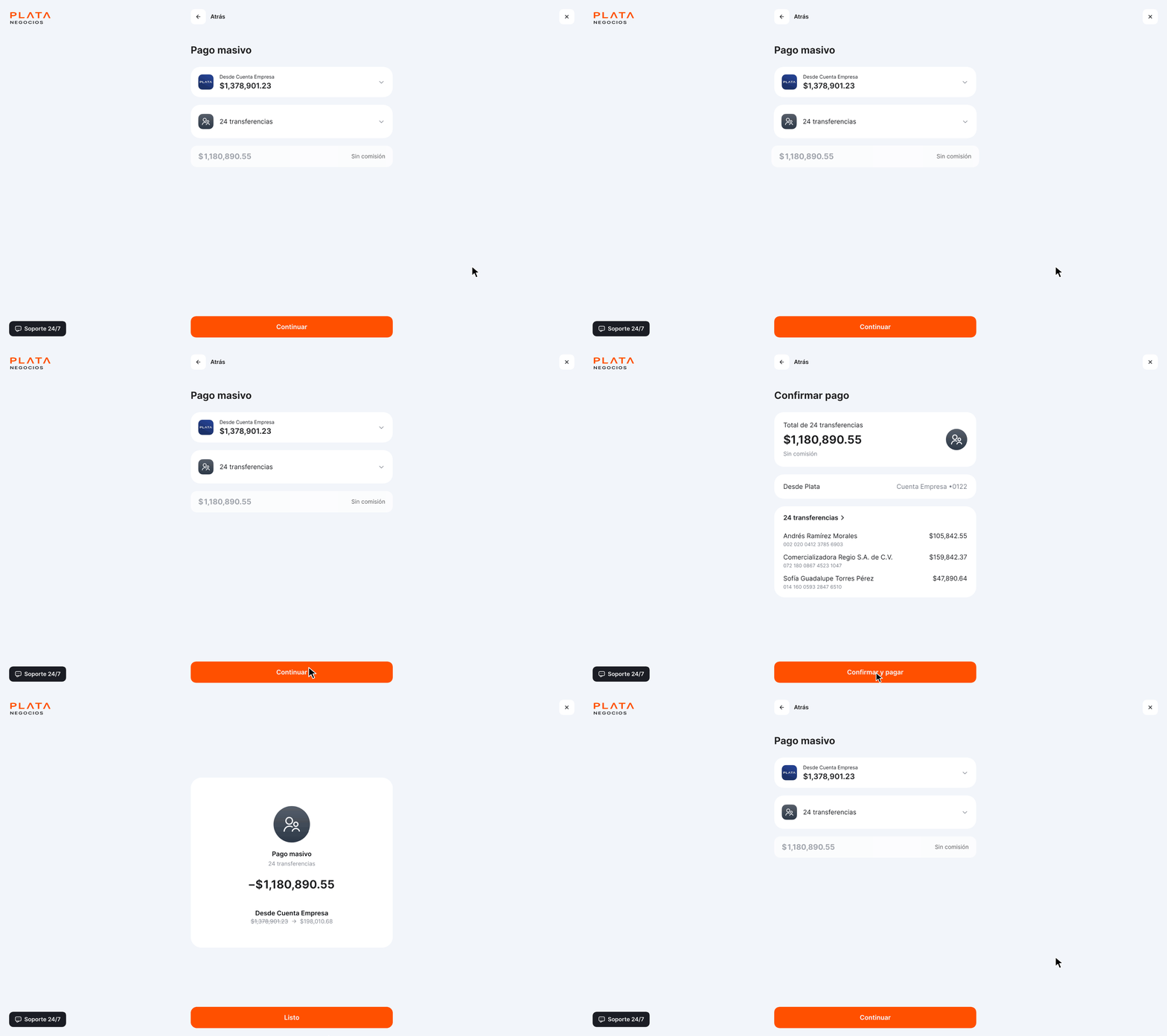
Review all your transfers on one screen. If there’s an error in your file, we’ll highlight it so you can fix it before confirming.
Paying someone for the first time? No need to add them beforehand. New recipients will be registered automatically.
Step 4. Confirm your payments
Once you confirm, all your transfers will be sent together.
Paying salaries?
You can also make payroll payments in bulk. It works the same way. Just go to the payroll section on the Plata Negocios website.
Ready to create a bulk payment?
Download the template, fill it in and upload it on the Plata Negocios website from your computer.